
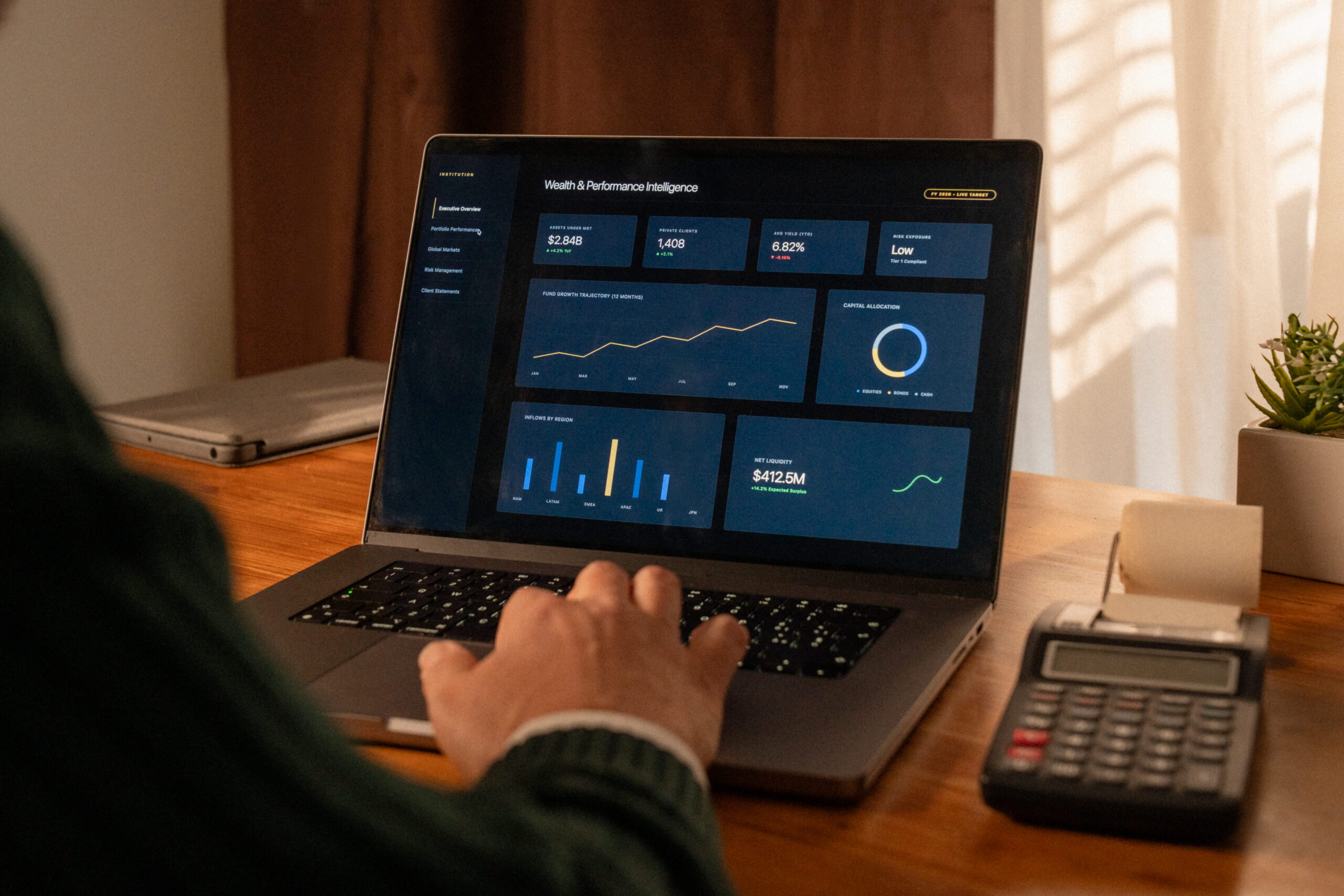

To manage multiple WordPress sites from one dashboard, you install a small connector plugin on each site and link it to a central management tool — ManageWP, MainWP, WP Umbrella, or InfiniteWP — that runs updates, backups, uptime checks, and client reports across every site at once.
The tool is the easy part. The hard part is deciding how updates get tested, who watches the alerts, and what happens when a bulk update breaks three sites at 5pm. Below, we compare seven real options honestly, free ones included.
Remote management dashboards (ManageWP, MainWP, WP Umbrella, InfiniteWP) are the standard way to manage multiple WordPress sites that live on different hosts. They are cheap: free to about $2.19 per site per month. WordPress Multisite is a different thing — one installation running many sites — and suits tightly related sites, not a portfolio of independent client sites. If nobody on your team wants to run the tooling, a managed maintenance service does the same work for you, at a much higher per-site price.
Key takeaways
- ManageWP, MainWP, and InfiniteWP all have free tiers; WP Umbrella offers a 14-day trial instead
- When you manage multiple WordPress sites, software is the small cost; staff hours are the big one
- Speed matters: Patchstack found heavily exploited WordPress vulnerabilities reached mass exploitation in a weighted median of five hours
- A managed service makes sense when your team’s hours cost more than the price difference
What it means to manage multiple WordPress sites
Every WordPress site needs the same recurring work. When you manage multiple WordPress sites, that work multiplies by your site count:
- Updates to core, plugins, and themes
- Backups, stored off the server and tested
- Security scans and vulnerability checks
- Uptime and performance monitoring
- Access for your team and clients without shared passwords
- Reports proving the work happened
WordPress runs 41.1% of all websites, according to W3Techs (August 2026), which makes it a constant target. Patchstack’s State of WordPress Security in 2026 counted 11,334 new vulnerabilities in the WordPress ecosystem during 2025, a 42% increase on 2024, and 91% of them were in plugins.
For a portfolio, speed matters most. Patchstack found the most heavily exploited vulnerabilities reached mass exploitation in a weighted median of five hours after disclosure. Logging into 20 dashboards one at a time, you won’t patch 20 sites in five hours. That is the real case for centralizing.
Three ways to manage multiple WordPress sites
There are three distinct models, and most confusion comes from mixing them up:
- A remote management dashboard. Each site stays independent on any host, and a connector plugin reports to one dashboard.
- WordPress Multisite. One installation runs a network of sites sharing core files.
- A managed service. A team runs the tools for you and owns testing and fixing.
Most agencies and multi-location businesses need the first. The seven options below cover all three.
7 options to manage multiple WordPress sites, compared
| Option | Model | Free tier | Tool pricing (vendor pages, Sept 2026) | Best for |
| ManageWP | Hosted dashboard | Yes, unlimited sites | Add-ons $1–$2 per site/month; bundles for up to 100 sites | Freelancers and small agencies |
| MainWP | Self-hosted plugin | Yes, unlimited sites | Pro $29/month, $199/year, or $599 lifetime | Agencies that want control and flat pricing |
| WP Umbrella | Hosted dashboard | 14-day trial only | $2.19 (€1.99) per site/month | Agencies selling care plans |
| InfiniteWP | Self-hosted panel | Yes, core features | Licenses from $147/year for 10 sites | Budget-conscious self-hosters |
| WordPress Multisite | Built into core | Free | — | Related sites under one brand |
| Your host’s control panel | Hosting dashboard | Included | Varies by host | Portfolios on a single host |
| Managed care service | Done for you | — | Priced per site for human work; see option 7 | Teams without time to run tooling |
Tool prices come from each vendor’s pricing page and change often. Our own plan pricing is listed separately under option 7.
1. ManageWP: the easiest free way to manage multiple WordPress sites
ManageWP is a hosted dashboard with a free tier for unlimited websites. The free tier includes a monthly cloud backup, one-click login, update management, security and performance checks, and client reports.
Premium add-ons are priced per site: backups cost $2 per site per month, and most others, such as uptime monitoring and white label, cost $1. Agencies with over 25 sites can buy bundles covering up to 100 websites; the all-in-one package is listed at $150 per month.
Watch out for: safe updates (automatic rollback) and cloning require the premium backup add-on. On a large portfolio, per-site add-ons stack up, which is when bundles become worth pricing out.
2. MainWP: manage multiple WordPress sites on your own server
MainWP is open source and self-hosted. The dashboard is a plugin on a WordPress site you control, and a child plugin connects each managed site. The free Essentials tier manages unlimited sites. MainWP Pro, which unlocks 30+ add-ons, costs $29 per month, $199 per year, or $599 once for a lifetime license.
Because you host the dashboard, client data stays off third-party SaaS platforms, and you can lock the dashboard to specific IP addresses.
Watch out for: you’re responsible for securing, backing up, and updating the dashboard site itself. Many features work by managing other plugins (UpdraftPlus, Wordfence, and so on) rather than replacing them.
3. WP Umbrella: pay per site to manage multiple WordPress sites
WP Umbrella has one plan: $2.19 (€1.99) per site per month, no site minimum, and a 14-day trial with no card required. It includes backups kept for 50 days, uptime and PHP error monitoring, white-label reports, and vulnerability checks against the Patchstack database every six hours.
Optional add-ons: security (firewall, malware scanning) at $2 and hourly backups at $2.49, each per site per month. Team members are free, and data is stored on the company’s own servers in France.
Watch out for: there’s no permanent free plan, and on a large portfolio a flat-priced tool like MainWP Pro can cost less.
4. InfiniteWP: a free self-hosted panel
InfiniteWP offers a free, self-hosted admin panel for unlimited sites covering one-click admin access, one-click updates, and backup and restore. Premium features — staging, malware scanning, uptime monitoring, client reports — come with paid annual licenses, starting at $147 per year for 10 sites according to its pricing FAQ.
Watch out for: when we checked, InfiniteWP’s pricing page showed two different price tables for similar plans. Confirm the price at checkout. Licenses auto-renew yearly for updates and support.
5. WordPress Multisite: one installation, many sites
Multisite is built into WordPress. According to the WordPress developer documentation, a network is a collection of sites that share the same core files and can share plugins and themes. You manage everything from one Network Admin screen.
It works well for related sites — school departments, regional sites under one brand, franchise locations with shared templates. It is not a way to manage multiple WordPress sites that belong to different clients. The WordPress documentation itself cautions that if your sites need to be strongly interconnected or share users and data, Multisite may not be the best fit, and that converting an existing site requires server file access and a backup first.
Watch out for: every site shares one codebase. A bad plugin update can affect the whole network, and moving a single site out of a network later is real work.
6. Your hosting provider’s control panel
If every site lives on one managed host, its dashboard may already let you manage multiple WordPress sites at no extra cost, covering backups, staging, and core updates. It only sees sites on that host, though, and a plugin conflict inside a site is usually yours to fix.
7. A managed service to manage multiple WordPress sites for you
The seventh option is not running the tooling at all. A maintenance provider uses dashboards like these and handles what software doesn’t: testing updates on staging, reading alerts, restoring when something breaks, and answering when a client calls.
This is what our WordPress website management team does. Our pricing (hypersite, not market rates): our WordPress care plans are priced per site, from $97 per month (Secure) to $997 per month (Support +). That is far more per site than a $2 dashboard — you’re paying for hours of human work, not software. Agencies can ask us about multi-site pricing and white-label arrangements.
How to manage multiple WordPress sites from one dashboard: step by step
Once you’ve picked a tool, setup is similar everywhere:
- List every site with its host, premium plugins, and client contact.
- Take an off-server backup of each site before connecting anything.
- Create your dashboard account, or install the dashboard on a dedicated site for MainWP or InfiniteWP.
- Install the connector plugin on each site and link it to the dashboard.
- Turn on scheduled backups stored away from each site’s own server.
- Set an update policy. Decide which updates run automatically and which get tested on staging first, and stagger bulk updates.
- Add uptime and vulnerability alerts, and route them to a person who will actually see them.
- Enter license keys for premium plugins and themes, so the dashboard can update them.
- Set up team and client access with individual accounts and two-factor authentication.
- Schedule client reports so the work is visible.
- Run an initial health review. Clear outdated plugins, known vulnerabilities, and unused themes before routine maintenance starts, so your baseline is a clean portfolio.
Step 6 is where teams that manage multiple WordPress sites most often go wrong. One-click bulk updates are every dashboard’s headline feature, and the fastest way to break 30 sites at once. Stagger them instead: update a small batch of similar sites, check them, then roll out to the rest. Test revenue-critical sites on staging first. Visual regression testing tools, which compare screenshots before and after an update, can flag broken layouts automatically.
For agencies that manage multiple WordPress sites for clients, step 10 matters more than it looks. Reports prove the work happened, and the issues they surface, such as slowing pages or aging plugins, are natural openings for follow-on projects.
Our guide on maintenance versus management covers why testing and judgment matter more than the update button.
How to manage multiple WordPress sites across locations and brands
Multi-location businesses, and agencies with multi-brand clients, have an extra problem: keeping dozens of sites consistent without turning every local change into a ticket. When you manage multiple WordPress sites for one brand, four rules keep the portfolio sane:
- Build from one master theme. Share layouts, tracking scripts, schema, and brand elements across every location site. Local teams edit content, offers, and images only.
- Approve a core plugin stack. Every extra plugin a local team installs is one more thing to update and one more possible conflict. A short approved list keeps every site on a known, tested configuration.
- Keep location data consistent. Each location’s name, address, and phone number should match its Google Business Profile and directory listings exactly, and each site should carry LocalBusiness schema for that location.
- Choose Multisite or separate installs deliberately. If the business owns every location and the sites share one design, Multisite can fit. If locations are franchisees with their own hosting or ownership, keep separate installs on a dashboard.
What a dashboard won’t do when you manage multiple WordPress sites
A dashboard makes the work faster. It doesn’t do the thinking:
- It won’t decide whether an update is safe. It shows that an update exists. Someone still has to check the changelog, test it, and roll back if needed.
- It won’t fix what breaks. Rollback helps, but a broken WooCommerce checkout still needs a developer.
- It won’t watch itself. Alerts only help if someone reads them — including evenings and weekends.
- It adds a privileged plugin to every site. A connector with admin-level access is powerful. Keep it updated, and protect dashboard logins with two-factor authentication.
DIY dashboard or managed service to manage multiple WordPress sites?
The software cost is rarely the deciding factor when you manage multiple WordPress sites. A 20-site portfolio on WP Umbrella’s base plan is about $44 per month. The real question is how many hours your team spends each month reviewing updates, testing, handling alerts, and fixing breakage — and what those hours are worth.
A note on time-savings claims. Vendor pages often quote figures like “agencies waste 8 hours every week” (mySites.guru uses that one). We couldn’t find a published methodology behind that or similar numbers, so treat them as marketing, not data. Measure your own: track one month of maintenance time per site, then multiply.
Run it yourself if you have a developer with spare capacity and fairly simple sites.
Use a managed service if nobody owns maintenance today, your sites generate leads or sales, or maintenance keeps slipping behind billable work.
Which way to manage multiple WordPress sites fits you?
| Your situation | Best starting point |
| Freelancer with 5–15 client sites | ManageWP free tier, add paid add-ons per site |
| Agency with 50+ client sites on mixed hosts | MainWP Pro or WP Umbrella |
| Agency reselling care plans | WP Umbrella or MainWP, with white-label reports |
| Multi-location business with a site per location | Multisite if one owner and one design; a dashboard if locations are independent |
| All sites on one managed host | Start with your host’s dashboard |
| No one in-house to run it | A managed care service |
Frequently asked questions
What is the best way to manage multiple WordPress sites?
For independent sites on different hosts, the best way to manage multiple WordPress sites is a remote management dashboard such as ManageWP, MainWP, WP Umbrella, or InfiniteWP. For closely related sites under one brand, WordPress Multisite can work. If no one has time to run either, a managed maintenance service handles it for you.
Can I manage multiple WordPress sites for free?
Yes. ManageWP’s free tier covers unlimited websites, MainWP’s free Essentials tier manages unlimited sites, and InfiniteWP’s free panel includes updates and backups for unlimited sites. Paid features such as frequent backups, uptime monitoring, and white-label reports cost extra.
Is WordPress Multisite better than a management dashboard?
Neither is better; they solve different problems. Multisite runs many sites from one installation with shared core files, which suits related sites. If you manage multiple WordPress sites for separate clients, a dashboard that keeps each site independent is the better fit.
How many sites can one dashboard handle?
ManageWP and MainWP both advertise unlimited sites. WP Umbrella charges per site with no minimum or maximum listed. InfiniteWP’s paid licenses are tiered by site count, from 10 sites up to unlimited.
Can I manage multiple WordPress sites on different hosts?
Yes. Remote dashboards connect through a plugin on each site, so it doesn’t matter where each one is hosted. Multisite and host control panels are the options that require everything in one place.
Can I use my host’s dashboard and a tool to manage multiple WordPress sites?
Yes, but give each job to one system. Let one run automatic updates and one schedule backups. Two systems updating the same plugin, or two backup schedules running at once, cause conflicts that are hard to trace.
Are remote management plugins a security risk?
Any plugin with admin-level access adds risk if neglected. Keep the connector updated, use two-factor authentication on the dashboard, and remove the connector from sites you no longer manage. Know where the risk sits: if a self-hosted dashboard is breached, every connected site is exposed; if a hosted vendor has an outage, you lose oversight until it recovers, but your sites keep running.
Do I still need separate backups if my dashboard backs up my sites?
Yes. Keep at least one backup copy stored away from both the site’s server and the dashboard, so a restore never depends on the thing that failed.
The bottom line on how to manage multiple WordPress sites
To manage multiple WordPress sites well, pick the model first — independent sites with a dashboard, related sites with Multisite, or a done-for-you service — and then the tool. For most agencies and multi-location businesses, a remote dashboard is the right foundation, and the free tiers are good enough to start today.
If you’d rather hand the whole workflow to a team, see what’s included in our care plans. Every update is tested on staging first.
