


In the old days of web programming, everyone use to lay things out with tables. Not so much, anymore. Today, if you are in the know, div tags and CSS positioning is how all the cool kids do it.
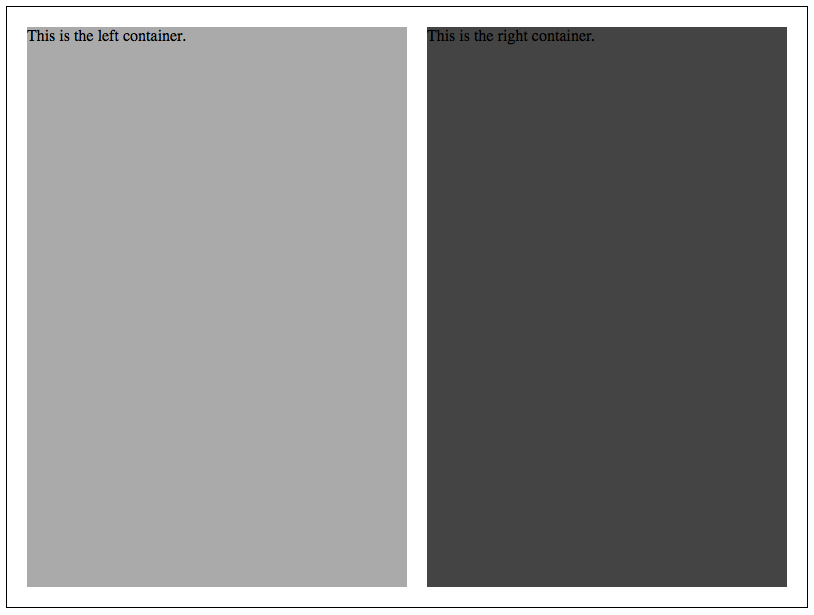
Here is a quick example of how to layout two columns using div tags and some CSS.
 First, let’s create some basic containers.
First, let’s create some basic containers.
Next comes some styles.This is the left container.This is the right container.
div.wrapper {
width:800px;
height: 600px;
border: 1px solid #000;
position: relative;
}

div.leftcontainer {
width: 380px;
height: 560px;
background: #aaa;
position: absolute;
left: 20px;
top: 20px;
}

div.rightcontainer {
width: 360px;
height: 560px;
background: #444;
position: absolute;
right: 20px;
top: 20px;
}
Put it all together and this is what you should get.
The thing to remember with CSS positions is that you need to identify which div will contain the other. In the example above,Absolute $amp; Relative Positions This is the left container.This is the right container.
div.maincontainer is styled position: relative; because it contains the other two divs. If we didn’t do this, then when we set div.leftcontainer to position: absolute; it would not position itself within the div container we want.
