

Quick Answer
Of the ten classic free Mac apps for web developers, five still hold up as-is in 2026: MAMP, VirtualBox, GIMP, Cyberduck, and Paparazzi!. Four are dead or effectively dead and need a replacement: TextWrangler (discontinued, doesn’t run on modern macOS — use BBEdit), Sequel Pro (abandoned since 2020 — use Sequel Ace), SvnX (archived, and Subversion itself has been largely replaced by Git — use Git via GitHub Desktop or Tower), and Skype (fully retired by Microsoft in May 2025 — use Teams, Slack, or Zoom). YemuZip technically still works but is no longer free.
Mac has been a strong platform for web development for a long time, and a lot of the free tooling that made that true a decade-plus ago is still around — but not all of it. Before republishing a “best free Mac apps” list unchanged, it’s worth checking which of the old standbys actually still function on a current Mac. Here’s where each of the original ten stands today.
TextWrangler → Now BBEdit (text editor)
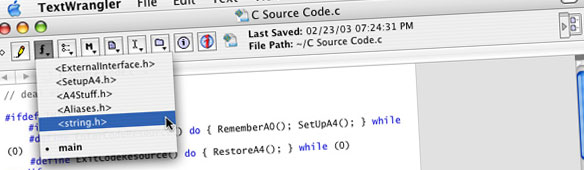
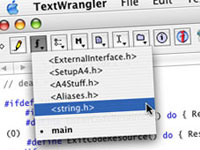
TextWrangler no longer exists as a separate product. Bare Bones Software folded it into BBEdit years ago, and TextWrangler itself doesn’t run at all on macOS Catalina or later. The good news: BBEdit in “free mode” (no license) is a capable text editor with syntax highlighting, which is part of what makes it a practical TextWrangler replacement. If you’re currently on TextWrangler, this is a drop-in replacement, not a downgrade, and it works as a native Mac app on current Macs.
MAMP (web development)

Still exactly what it says on the tin — a one-click local Apache/MySQL/PHP environment for testing sites before they go live. This one hasn’t needed replacing; it’s still a standard recommendation for local WordPress and PHP development on Mac.
Paparazzi!
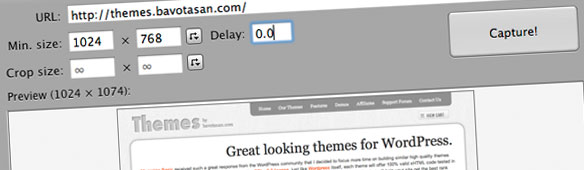
Still alive and still actively released — the developer shipped an update as recently as mid-2026. It remains a genuinely useful, no-frills way to grab full-page screenshots of a website for a portfolio or a client handoff. It is also handy when you need screen recording-adjacent visual handoff material, even though its main value is still static captures. For quick markups after capture, developers may pair it with a simple app that includes a built in editor for annotations.
YemuZip
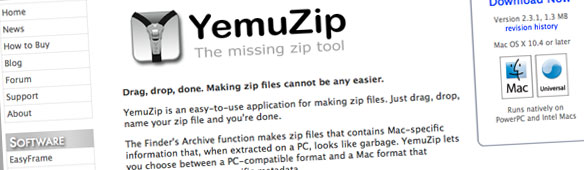
Still works, but it’s no longer accurate to call it free — after a long stretch with no updates, it moved to a paid ($4.99) Mac App Store listing with an ad-supported free tier. It’s not dead, but it’s worth flagging the pricing change rather than repeating “free” as a selling point. macOS’s built-in Archive Utility has also improved since 2009, so for many people a dedicated tool isn’t strictly necessary anymore.
VirtualBox
Still actively developed and still free. It’s worth noting for Apple Silicon Macs specifically: recent VirtualBox releases do support Apple Silicon, but performance and Windows-guest compatibility on ARM Macs is a rougher experience than it was running Intel Windows on an Intel Mac. Worth checking VirtualBox’s current release notes for your specific Mac chip before assuming parity with the old Intel-era setup.
For more modern local development environments on Mac, docker desktop is often the better fit because it’s built for managing containers and local development environments rather than full virtual machines, and it’s free for small businesses under 250 employees while also including Kubernetes support for orchestration.
Skype → Now Teams, Slack, or Zoom

Skype is gone. Microsoft officially retired it on May 5, 2025, migrating remaining users to Microsoft Teams. If a site still recommends Skype as the default way to talk to clients, that’s now actively bad advice — point people to Microsoft Teams (free tier), Slack, or Zoom instead, depending on what the client already uses; Slack is especially common for team communication and integrates with over 2,600 apps for collaboration.
GIMP

Still the standard free, open source alternative to Photoshop, still actively developed, and still a completely valid recommendation for a Mac developer who doesn’t want a Creative Cloud subscription.
Cyberduck
Still actively maintained and still one of the best free FTP/SFTP/cloud storage browsers for Mac. No changes needed here.
Raycast is a useful companion utility for developers who want to launch apps faster than Spotlight.
It’s also one of the more useful productivity apps on Mac, with over 1,300 extensions for productivity.
For window management, Rectangle is a solid pick because it handles keyboard shortcut-based window snapping.
SvnX → Use Git Client Instead
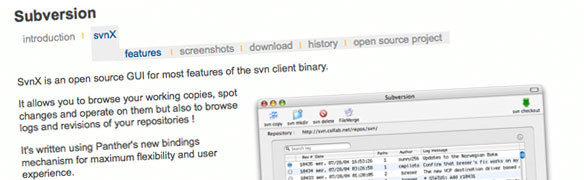
SvnX itself is archived with no ongoing development. But the bigger shift is upstream of the tool: Subversion’s dominance as the default version control system has been almost entirely replaced by Git over the past decade-plus, including in Apple’s own command-line tools. For a Mac developer today, the practical recommendation isn’t “a better SVN GUI” — it’s GitHub Desktop if you want a tool for local Git interactions on Mac, Tower as a visual git client, or Fork as a fast option designed for Mac users. If you prefer to stay in your editor, visual studio code also offers built-in git integration for version control. And for package management, Homebrew simplifies installing Git and other tools on Mac, with access to over 7,000 packages.
Sequel Pro → Now Sequel Ace
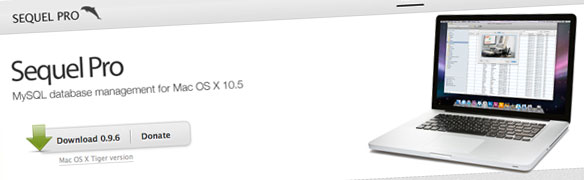
Sequel Pro was abandoned by its original team back in 2020. The community forked it into Sequel Ace, which is actively maintained, ships a native Apple Silicon build, and can import your existing Sequel Pro connections directly. If you need a database manager with broader support than MySQL, DBeaver is a database management GUI for various databases. TablePlus is another option that supports 15+ database types and costs $79 per year. If you’re still running the original Sequel Pro, it’s worth the switch — the old build has no path forward once Apple retires Rosetta support for Intel-only apps.
Frequently Asked Questions
Is TextWrangler still safe to download and use in 2026?
No — it doesn’t run on macOS Catalina (10.15) or later at all, and it hasn’t been updated since Bare Bones folded it into BBEdit. Use BBEdit’s free mode instead; it has full feature parity plus more.
What happened to Skype?
Microsoft officially retired Skype on May 5, 2025, after 21 years, in favor of consolidating communications around Microsoft Teams. Existing Skype users were migrated to Teams Free automatically if they signed in before the cutoff.
Is Sequel Pro dead?
Yes — the original team stopped development in 2020. Sequel Ace is the actively maintained fork and current recommendation for a free MySQL GUI on Mac.
Do I still need a dedicated SVN GUI like SvnX?
Almost certainly not, unless you’re maintaining a legacy project that specifically requires Subversion. Git has become the default version control system for the large majority of current web development work, and Mac has strong free Git GUI options if you don’t want the command line. VS Code is the most popular code editor globally and already covers many workflows with built-in Git features and an integrated terminal.
What’s a good free tool for API work on Mac?
Postman is the easiest recommendation for api development on Mac because it offers a generous free tier with unlimited api calls for testing. It also auto-generates documentation, helps you design APIs without writing test code, and supports team collaboration on shared projects.
Which free terminal app is best on Mac?
iTerm2 is still the safest pick if you want a better terminal app on macOS. It’s a powerful terminal replacement for Mac with split panes and search, plus regular updates that add new features without making it hard to use. Ghostty is a fast terminal emulator built in Zig, and Warp Terminal is another option that uses gpu acceleration for a smooth experience.
What’s the easiest way to install developer tools on Mac?
Homebrew is the standard answer because its command line interface makes setup fast, and a simple brew install can pull in one package at a time from a catalog of over 7,000 tools. If you spend a lot of time in the shell, Oh My Zsh is also worth adding because it improves Zsh with plugins and themes.
Closing Thoughts
Half of this list needed an update, and that’s not unusual for a decade-plus-old “free tools” post — operating systems move on, companies retire products, and open source projects lose their maintainers. MAMP, VirtualBox, GIMP, Cyberduck, and Paparazzi! are still exactly the recommendations they always were. For the rest, BBEdit, Sequel Ace, Git-based tools, and Teams/Slack/Zoom are the honest current answers.
