

 After I completed the redesign for bavotasan.com, I was looking for some social media links to add to the bottom of my single post pages. The main two buttons I wanted were a Facebook Like button and a Tweet This type button. The Facebook Like button was easy to find and install, but it took me a while to find the official Twitter button, since I never really looked at the footer links on Twitter.
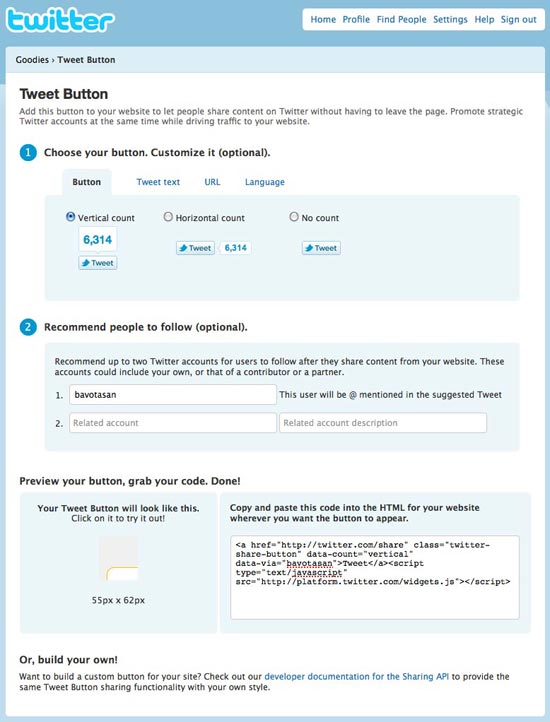
If you click on the Goodies link, you will see three options: Tweet Button, Widgets and Buttons. All three are useful, but for my purposes, the Tweet Button was all I needed. You will probably have to sign in to Twitter before you can check out the Goodies.
After I completed the redesign for bavotasan.com, I was looking for some social media links to add to the bottom of my single post pages. The main two buttons I wanted were a Facebook Like button and a Tweet This type button. The Facebook Like button was easy to find and install, but it took me a while to find the official Twitter button, since I never really looked at the footer links on Twitter.
If you click on the Goodies link, you will see three options: Tweet Button, Widgets and Buttons. All three are useful, but for my purposes, the Tweet Button was all I needed. You will probably have to sign in to Twitter before you can check out the Goodies.
TweetIncluding this code anywhere in your
single.php file will work. If you wanted to include it on a category page or your index page, you would need to make a few changes.
TweetInclude that within the loop and it will include the post specific URL for each button. You can even take it one step further if you’re using shortlinks:
TweetThe last code snippet is the one I use on this site. You can see the Tweet Button directly below.
