
Wptuts+: Adding a Syntax Highlighter Shortcode Using Prism.js

Check out Wptuts+ for my new article on how to add Lea Verou’s Prism.js syntax highlighter to WordPress.
Adding a Class to Sub-Menu Parent Items in WordPress

I’ve been trying to figure out the best approach to add an indicator to any menu item that contained a sub-menu. Originally, I was using a fancy CSS selector to get the job done. These are the selectors I used in Gridiculous to get it to work: #site-navigation li a:not(:last-child):after {} #site-navigation ul ul li […]
My First Article on Wptuts+

Today, my first article Getting Visual Editor Styles to Work With Post Formats was published on Wptuts+. I plan on contributing to Wptuts+ on a regular basis so expect to see more in-depth tutorials in the near future. I’ll still be updating bavotasan.com so don’t worry. It just means that now you’ll have to check […]
Create Widgetized Sidebars for Each Category in WordPress
One of the greatest features in WordPress is the ability to create multiple widgetized areas. There are tons of widgets available in the WP plugin directory so having the ability to customize different areas of your site is a must. Registering sidebars in your theme’s functions.php file is pretty straightforward, but wouldn’t it be a […]
Filtering wp_title() for Better SEO

When I last submitted Magazine Basic to the WordPress theme directory, I was told that they no longer allowed direct modification of certain elements within the header.php file. That meant I could no longer include a couple of conditional statements around the wp_title() function to improve on its SEO. The new approach in the theme […]
WideText jQuery Plugin
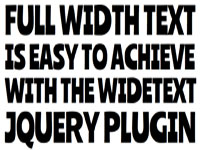
Working with fully responsive elements on a website is an absolute must since there are so many ways to access a site nowadays. You might be at home on your desktop, at school on your tablet or riding the bus while surfing on your smartphone. Each of those devices has a different maximum browser width […]
New Shortcodes for Gridiculous Pro

I’ve been working hard since the release of Gridiculous Pro to put together a collection of shortcodes to help take the theme to the next level. Now, you have the ability to display tons of awesome elements such as a carousel, buttons, tooltips, columns and oh so much more. Since people seem to really be […]
Set Up an iOS Simulator on a Mac
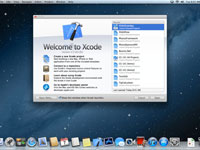
Lately, I’ve been developing a lot of responsive designs specifically for the iPad and iPhone. Since I do all my developing on a Mac, I thought there’d be some type of iOS simulator hidden away on my machine to make it easier on me. Sadly, there wasn’t. But getting one set up was easy enough. […]
Gridiculous Pro Now Available

I put the finishing touches on Gridiculous Pro this morning. The design has changed quite a bit since the preview video I released a few days ago. LEave a comment below to let me know what you think. You can check out the demo or purchase an unlimited license for $39.97.
Gridiculous Pro Preview

I’m nearly finished with Gridiculous Pro for WordPress so I wanted to put together a little video to show some of the new features. Since it’s still in development, I’m very interested in hearing what you might think and if you have any suggestions. Think about it and leave a comment below.